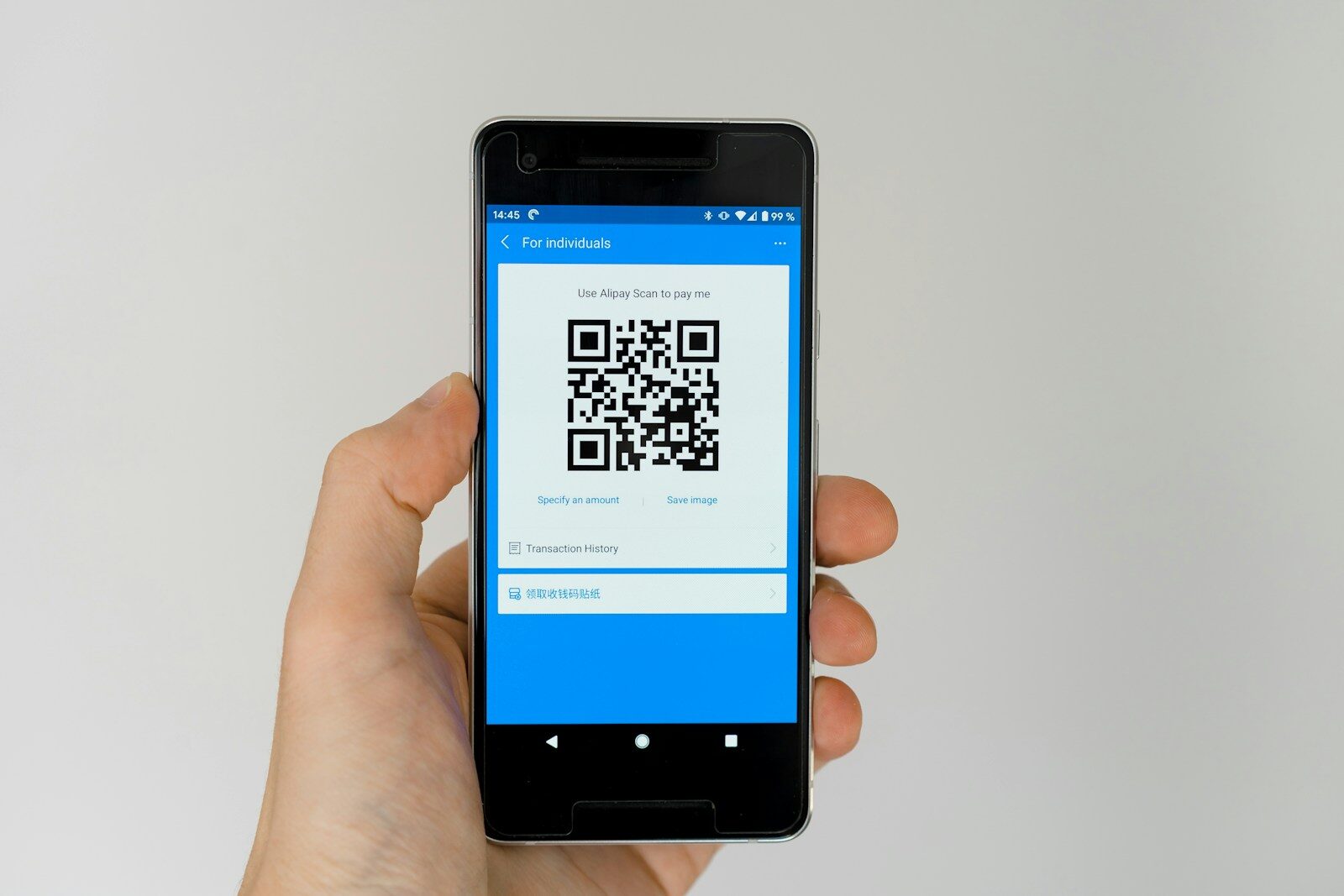
A QR code feels harmless.
It is only a black square on a menu, sign, package, meter, or email.
Yet the code hides its destination until a camera reads it.
That small delay gives a scammer room to lead us to a copied login or payment page.
The Plain Answer
Before opening a QR link, preview the address and check the main domain. Do not scan a code from an unexpected email or text. For parking, banking, delivery, tickets, or account problems, open the official app or type the known website yourself.
Why This Matters
A fake sticker can be placed over a real code on a public sign. In other words, the small detail can shape the larger result. When we see that link, we can make a calmer choice instead of reacting to the first screen, price, warning, or problem.
The destination page can copy a trusted logo while using a misspelled domain. In other words, the small detail can shape the larger result. When we see that link, we can make a calmer choice instead of reacting to the first screen, price, warning, or problem.
An urgent message can push us to enter a password, card number, or bank login before checking. In other words, the small detail can shape the larger result. When we see that link, we can make a calmer choice instead of reacting to the first screen, price, warning, or problem.
How It Works
The QR code often stores a web address. The camera reads it and offers to open the link. The exact tools and terms may vary, but the basic path stays the same. Knowing that path makes it easier to spot a missing step or an unusual demand.
A scammer can print a replacement sticker or add a code to a false invoice without hacking the real business. The exact tools and terms may vary, but the basic path stays the same. Knowing that path makes it easier to spot a missing step or an unusual demand.
After the page opens, the attack works like normal phishing. The code simply hides the first link. The exact tools and terms may vary, but the basic path stays the same. Knowing that path makes it easier to spot a missing step or an unusual demand.
A Practical Step-by-Step Plan
1. Inspect the surface
Look for sticker edges, wrinkles, color changes, or a code placed over another code. Do the step before you need it in a hurry. Save any useful confirmation, receipt, photo, setting, or contact so the next decision starts with facts.
2. Preview the address
Read the main domain before opening. A long address can hide one wrong letter. Do the step before you need it in a hurry. Save any useful confirmation, receipt, photo, setting, or contact so the next decision starts with facts.
3. Use the official app
For parking, banking, delivery, and tickets, open the app already installed on your phone. Do the step before you need it in a hurry. Save any useful confirmation, receipt, photo, setting, or contact so the next decision starts with facts.
4. Avoid surprise logins
Close messages that claim an account problem and use your normal bookmark or typed address. Do the step before you need it in a hurry. Save any useful confirmation, receipt, photo, setting, or contact so the next decision starts with facts.
5. Check payment details
Confirm the merchant, amount, zone, location, and receipt path before paying. Do the step before you need it in a hurry. Save any useful confirmation, receipt, photo, setting, or contact so the next decision starts with facts.
6. Secure the phone
Install updates, use a password manager and multifactor sign-in, and remove unknown apps. Do the step before you need it in a hurry. Save any useful confirmation, receipt, photo, setting, or contact so the next decision starts with facts.
The Tradeoffs We Should See
QR codes are useful for menus, tickets, forms, and device setup. The goal is not to fear them. That does not make the option wrong. It means we should compare the benefit with the full cost, the work, and the risk that remains.
Businesses can improve trust by printing a short official web address beside the code. That does not make the option wrong. It means we should compare the benefit with the full cost, the work, and the risk that remains.
Phone previews differ. Learn whether your camera opens links at once or shows the address first. That does not make the option wrong. It means we should compare the benefit with the full cost, the work, and the risk that remains.
Common Mistakes
- Trusting a code because the sign looks clean
- Looking at the logo but not the domain
- Installing an unknown app from the page
- Entering a bank login to pay a small fee
- Scanning a code in a suspicious email
Most of these mistakes come from speed, not bad intent. A written checklist, one trusted source, and a saved record can prevent the same problem from returning.
Questions People Ask
Can scanning alone infect my phone?
The larger risk usually comes after opening a link, downloading a file, or granting a permission. Keep the phone updated. When the answer affects safety, money, law, health, or a large purchase, check the current rule or ask a qualified professional who can see the full situation.
Are restaurant menu codes safe?
Most are, but preview the domain and ask for a paper menu if the page looks wrong. When the answer affects safety, money, law, health, or a large purchase, check the current rule or ask a qualified professional who can see the full situation.
What is quishing?
It is phishing that uses a QR code to hide the destination. When the answer affects safety, money, law, health, or a large purchase, check the current rule or ask a qualified professional who can see the full situation.
How do I pay at a parking meter safely?
Use the official city or parking app when possible and confirm the zone and merchant. When the answer affects safety, money, law, health, or a large purchase, check the current rule or ask a qualified professional who can see the full situation.
What should a business do?
Use tamper-evident signs, inspect public codes, print the expected domain, and offer another way to reach the page. When the answer affects safety, money, law, health, or a large purchase, check the current rule or ask a qualified professional who can see the full situation.
A One-Minute Decision Check
Before we act, it helps to name the result we want, the largest risk, and the proof that would change our mind. For QR code scams, this pause keeps a small choice from becoming a larger problem. We can ask who controls the process, what could fail, and what record we would want later. The check is short, but it brings the decision back into our hands.
What This Means at Home
At home, a plan works only when more than one person can follow it. Write the main rule for QR code scams in plain words. Put the needed number, setting, document, or tool where the action happens. Tell the people who share the home what to do first. Review the plan after a move, a new device, a storm, a purchase, or another major change.
Let the Link Show Its Face
A QR code is a hidden door. Before we walk through, we should read the address. One small pause can keep a quick scan from becoming a long problem.
Most of all, we do not need fear to make a careful choice. We need a clear first step, a good source, and enough time to check the result.